



Matrix42 FastViewer
Remote Control – anywhere, anytime.
Whether cloud-based or on-premises, FastViewer is a flexible solution for both office and remote work environments.
Remote support is crucial
Remote work has become the norm, with nearly 60% of global companies adopting hybrid or fully remote work models. There is a growing demand for a robust, flexible remote-control tool that not only bridges these geographical gaps but also enhances IT efficiency, ensuring that businesses can maintain uninterrupted operations regardless of where their employees are located.
You can find out more in our detailed product brochure.
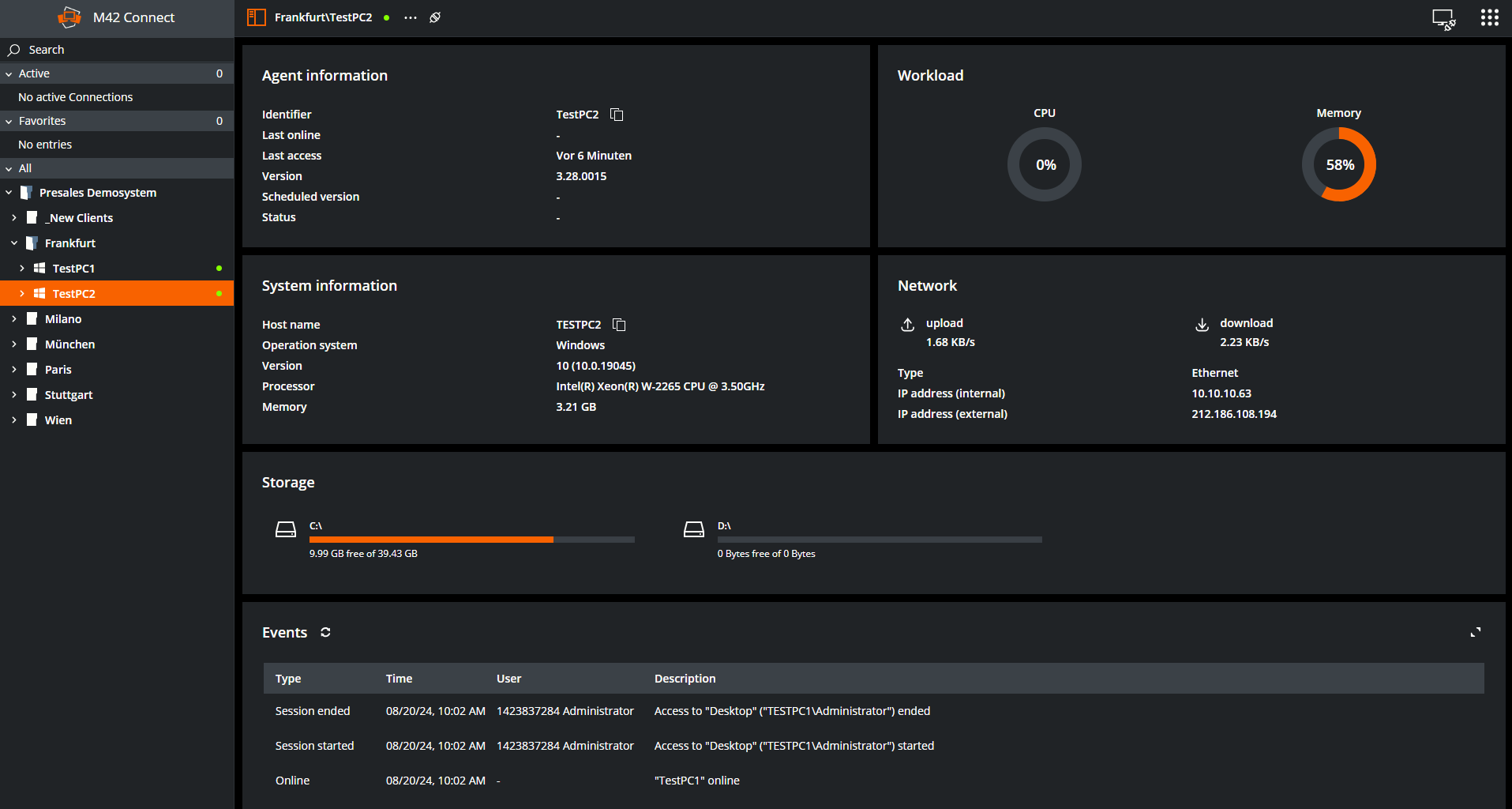
Here's why Matrix42 FastViewer will become your new favorite Remote Support Solution:
Matrix42 FastViewer is a flexible and versatile tool, offering customers access to remote capabilities across several different access points, depending on customer needs:
- A standalone web-based browser application
- A desktop application for Windows and Mac devices
- A web-based application integrated with Matrix42’s Enterprise Service Management

This is how FastViewer will enhance productivity and reduce downtime for your businesses:
Remote Support
- Unattended access
- Multi-session handling
- Multi-monitor support
Administration & Control
- Remote PowerShell / CMD
- Reboot & user switching
Collaboration
- File transfer
- Clipboard sharing

Security
- Two-factor authentication
- Access profiles
Key benefits
Resolve IT issues remotely
FastViewer enables IT teams to troubleshoot issues remotely, providing flexibility. It also supports faster scaling by allowing companies to add unmanned servers in different locations without needing an on-site IT team.
Increased productivity
Accelerate ticket resolution with instant remote access and AI-assisted ticket insights that help agents understand issues before starting a session.

Save costs and time
Reduce operational costs by cutting down on travel expenses and on-site visits, while still delivering top-tier IT support remotely. Maximize your IT resources' efficiency, leading to cost savings and improved ROI on IT investments.

Flexibility & convenience
Centralize IT operations with flexible remote-control capabilities for on-premises and cloud environments, ensuring consistent support across the organization. This enables effective scaling across locations or internationally with a centralized team.

Seamless collaboration
Developers, designers, and technical teams can efficiently work remotely, using the file transfer feature to share code, drawings, or specifications. FastViewer's multi-monitor screensharing makes collaboration easier than ever.

Secure sessions in seconds
Start a secure remote session in just two clicks directly from the service ticket.
Your benefits
Matrix42 FastViewer offers many benefits for different audiences
Head of IT
- Workforce planning: IT heads can choose to use a centralized IT team using a remote access tool like FastViewer, instead of multiple dispersed teams.
- Quicker ticket resolution: Lower ticket backlog
- Seamless integration: FastViewer is conveniently integrated into Matrix42’s user-interface, making accessing the tool simple
- Multi-language support: FastViewer is available in multiple languages, including Finnish, French, German and English.
- Clear, affordable pricing: FastViewer has a simple pricing plan, priced by concurrent sessions
Service Agents
- Quicker ticket resolution for remote workers
- Versatile access options: Accessible via any web-browser or device
- No VPN: No VPN is required to access a FastViewer remote session.
Developers
- File sharing
- Multi-monitor support
- Available across multiple devices: Computers, Tablets, Smartphones...
FastViewer demonstration
See FastViewer in action - Discover how Matrix42 FastViewer enables IT teams to support users and resolve issues remotely.
Reasons for Matrix42 FastViewer
75%
of IT issues are resolved remotely, without the need for on-site visits.
98%
of workers expressed the desire to work remotely.
70%
of the workforce is expected to work remotely at least five days a month by 2025.
56%
of IT leaders say remote support tools have cut issue resolution time.
25-30%
on IT support costs can be saved with remote assistance tools.
FAQS
What device/OS can I use FastViewer on? Can I use FastViewer on a personal device (not company issued)?
The web version can be used on any OS with actual HTML5 Browser. You can also use it on personal devices. The desktop version can be used on any Windows or Mac operating systems and also on iOS and Android devices.
Is there a data limit to the size of file transfers I can make on FastViewer?
2 GB per file
Does your software require installation on the client's computer, or can it run without installation? Is it already integrated into Matrix42's platform? Or is it a separate application?
You can use it in both ways, with and without installation.
Is it possible to transfer files between the technician's and client's computers during a remote session?
Yes
Can multiple technicians collaborate on the same remote session simultaneously? How many agents can access a session in parallel? What pricing package is right for me? Is there a limit to the number of devices I can control with one license?
Each license is one concurrent session with up to 100 agents installed. For example when you buy 7 licenses you can have 7 sessions in parallel with up to 700 agents installed.
Can a remote session be started with just 1 license? Or do both parties require a license to start a session?
Only the supporter needs a license.
What are a few use-cases?
Unattended remote control, ad hoc remote control without installation, home office use of PC in company